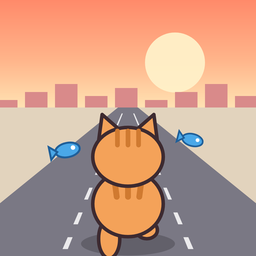
Nekoneko Runners
A runner game where a cat dashes through town (iPhone)
Support
Download on the App Store (Free)
Swipe to guide a cat running down three lanes, dodge obstacles, and see how far you can go.
- Swipe left or right to move to the next lane
- Swipe up (or tap) to jump over low obstacles
- Swipe down to slide under hanging obstacles
- Tall obstacles can only be dodged by changing lanes
- The stage changes every 700m (8 stages in total)
FAQ
- There is no sound
- Check that the Ring/Silent switch on your iPhone is not set to silent. Also check that "Sound: On" and "Music: On" are selected on the title screen or in the menu opened with the house button while running. Music and sound effects can be turned on and off separately.
- I want to pause or quit in the middle
- While running, tap the house button at the top left to pause and open the menu. Tap "Resume" to continue, or "Back to Title" to return to the title screen (you keep the fish you picked up in that run).
- What is the difference between missions and daily missions?
- Three missions are shown at a time. Every 3 missions you clear raise your rank, and you get more fish. Daily missions are renewed every day at midnight, and clearing all three gives you a bonus. You can check them from "Missions" on the title screen or from the menu while running.
- "Watch Video & Continue" does not appear
- It appears once per run when you crash after running 300m or more. Depending on your connection, the video may not be ready in time and the button may not appear.
- Can I see fewer ads?
- Full-screen ads appear at most once every four game overs, and only when 2 minutes or more have passed since the previous ad. After you choose "Watch Video & Continue", the next full-screen ad is skipped.
- What happens to my progress when I change iPhones?
- Your progress is saved only on your iPhone. If you restore your new iPhone from an iCloud backup, your progress is carried over. Deleting the app also deletes your progress.
- I want to change the language
- Tap the 🌐 button at the top right of the title screen. Japanese, English, Korean and Simplified Chinese are available.
- I want to change the tracking permission
- You can change it in your iPhone's Settings > Privacy & Security > Tracking.
Contact
For bug reports and feedback, please email us at the address below. It helps if you include your iPhone model and iOS version.
Email: nkmrkoubou@gmail.com